
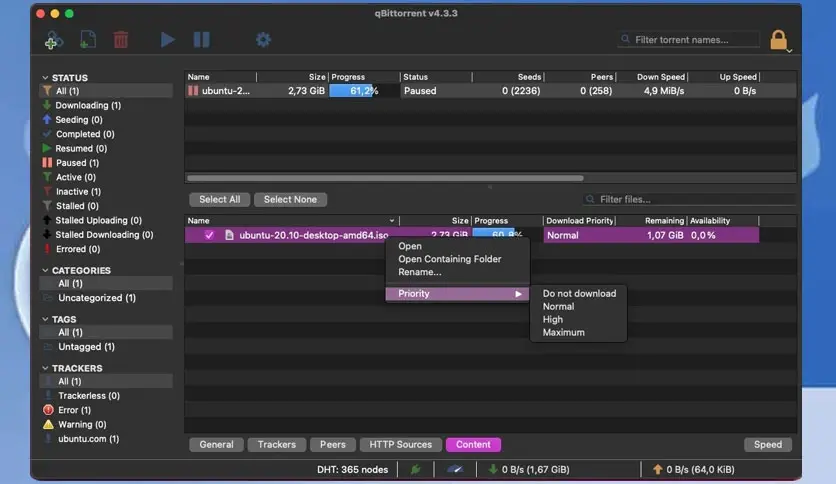
Free download qBittorrent for MacOS Latest offline Installer – A free and reliable P2P BitTorrent client.
Overview of qBittorrent for macOS
It is a free, open-source torrent client with a clean, user-friendly interface. It is designed to provide a seamless experience for downloading and managing torrents on macOS. qBittorrent supports all major BitTorrent protocols, allowing users to connect with a vast network of peers and access a wide range of content.
It is a multi-platform Bittorrent client developed in C++/Qt4. The qBittorrent project aims to provide a Free Software alternative to µtorrent. Its main features are its integrated search engine (allows searching for torrents from the main torrent Web sites simultaneously in a transparent fashion), its support for UPnP/NAT-PMP, BitTorrent protocol encryption (Azureus-compatible), Peer Exchange (PeX) compatible with µTorrent, IP filtering (eMule-like “ipfilter.dat” or PeerGuardian filters), Torrents (and the files they contain) prioritizing, remote control through a secure Web User Interface.
Features of qBittorrent for macOS
- Simultaneous download of multiple torrents
- Integrated torrent search engine
- Integrated RSS feed reader and downloader
- Good internationalization
- DHT, PeX, Encryption, LSD, UPnP, NAT-PMP, µTP
- Cross-platform
- Very lightweight
- Torrent queueing and prioritizing
- Control over files in a torrent (filtering, prioritizing)
- Excellent µTorrent-like interface with Qt toolkit
- IP filtering (eMule that files or PeerGuardian files)
- Peer display with country and hostname resolution
- Advanced control over torrent trackers
- Closest open-source equivalent to µTorrent
- Torrent creation tool
- Remote control through Secure Web User Interface
Technical Details and System Requirements
macOS 10.12 or later
Frequently Asked Questions (FAQs)
Q: Is qBittorrent for Mac free to use?
A: Yes, qBittorrent is an open-source project released under the GNU General Public License (GPL). It is free to download, use, and distribute.
Q: Can I schedule downloads with qBittorrent?
A: Yes, qBittorrent allows you to schedule downloads according to your preferences. You can set specific times for downloads to start or stop, optimizing your bandwidth usage and ensuring a smooth browsing experience.
Q3. Is qBittorrent safe to use?
A. qBittorrent is considered a safe torrent client. However, it is always recommended to exercise caution when downloading files from unknown sources. It is advisable to use antivirus software and verify the credibility of the torrents before initiating the download.
Q. Can I control my qBittorrent downloads remotely?
A. Yes, qBittorrent offers a web interface that allows you to control and monitor your downloads remotely. You can access the web interface from any device with a web browser and manage your torrents from anywhere.